Key Takeaways
- Secure account access and export essential PPC data before switching agencies.
- Preserve existing campaigns and bidding history until the new agency completes its audit.
- Protect CRM conversion tracking to maintain lead quality and pipeline visibility.
- Use a phased handover to minimize disruptions to campaign performance.
- Evaluate the first 90 days based on qualified opportunities, pipeline, and acquisition efficiency.
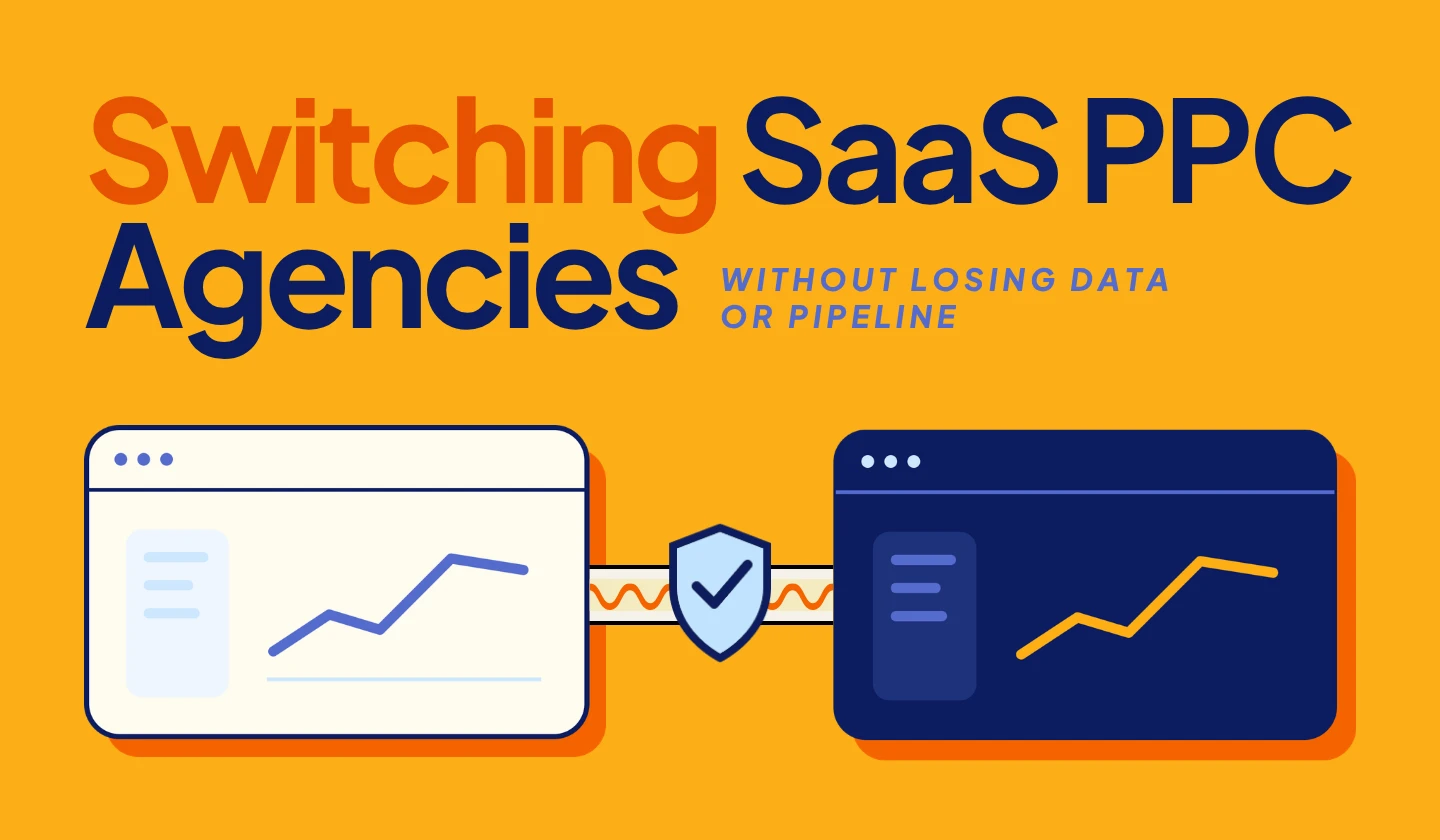
Switching SaaS PPC agencies doesn’t have to mean losing campaign performance, tracking data, or qualified pipeline. The biggest risks come from a poorly managed handover: broken conversion tracking, unnecessary campaign rebuilds, and interrupted CRM data.
A safer transition starts with securing account access, protecting existing conversion signals, and introducing campaign changes gradually.
If you’re looking for a team to take over and run paid search, the priority should be protecting what’s already working.
Here’s how to manage the transition, avoid common mistakes, and evaluate what your new agency delivers in its first 90 days.
Why Switching SaaS PPC Agencies Is Riskier Than It Looks
Switching PPC agencies can affect SaaS lead quality before the impact appears in your advertising reports.
Unlike ecommerce, B2B SaaS has longer sales cycles, so a decline in qualified leads may take weeks to become visible in your pipeline.
For example, your new agency maintains 100 leads per month while reducing cost per lead. The dashboard looks positive, but your sales team receives fewer qualified prospects.
One possible reason is broken CRM conversion tracking. Without reliable offline conversion data, Google Ads may struggle to identify which leads become valuable opportunities.
A successful PPC transition protects conversion data and qualified pipeline while improving campaign performance.
Still deciding whether to switch? Explore the signs it’s time to switch agencies.
Before You Give Notice: Secure Your Data and Account Access
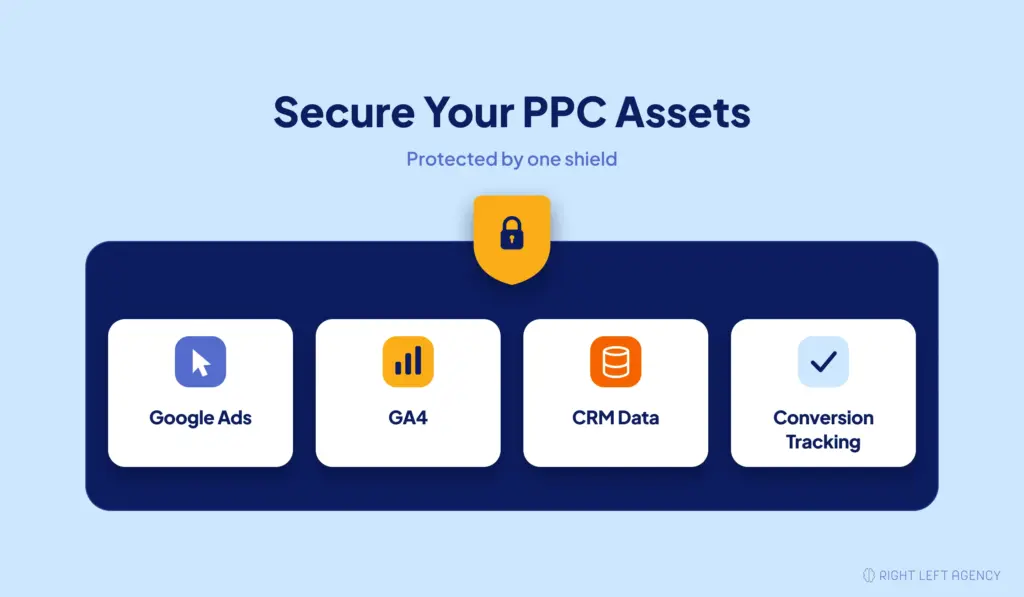
Before ending your current agency relationship, make sure your company controls its advertising accounts and essential marketing data.
Start with an account ownership and access audit.
1. Confirm access to your advertising assets
Review these assets before moving forward.
| Asset | What to verify |
|---|---|
| Google Ads | Your company has direct administrator access to the client account. |
| Google Ads Manager (MCC) | Identify connected managers and ownership permissions. |
| Google Analytics 4 | Your business controls the property and user permissions. |
| Google Tag Manager | Confirm container access and publishing permissions. |
| Google Search Console | Verify ownership of your website property. |
| Conversion tracking | Document conversion actions, goals, and integrations. |
| Audiences | Confirm access to remarketing lists and exclusions. |
| CRM integration | Identify how lead and opportunity data reaches Google Ads. |
An important distinction: having your Google Ads account linked to an agency’s Manager account doesn’t automatically mean the agency owns your advertising data.
According to Google Ads documentation, unlinking a manager account doesn’t delete the client account’s campaign history.
However, manager ownership permissions, direct administrator access, and contract terms can affect the handover.
Confirm these details before giving notice.
2. Export your campaign history
Save the information your incoming agency needs to understand previous performance.
PPC Agency Handover Checklist
- Available historical performance reports, ideally covering 12–24 months
- Campaign and ad group structures
- Keywords and available search term reports
- Negative keyword lists
- Audience targeting and exclusions
- Current ads and creative assets
- Campaign budgets and bidding strategies
- Conversion actions and attribution settings
- CRM conversion mappings and import configurations
- Historical lead quality and pipeline reports
Also document recent experiments, major budget changes, and known account issues.
Some historical reporting details may have limited availability, so export what you can while the existing agency is still involved.
3. Document what’s already working
Ask your outgoing agency to identify:
- Campaigns generating qualified opportunities
- High-performing keywords and landing pages
- Recent experiments and their outcomes
- Known tracking limitations
- Active integrations and pending changes
- Existing reporting benchmarks
This information helps your incoming agency avoid repeating failed experiments or removing campaigns that already contribute to pipeline.
A successful handover protects account access, performance history, and the knowledge behind previous decisions.
Protect the Signal: Conversion Tracking and Smart Bidding
Google Ads may count form submissions as conversions, but not every lead becomes a qualified opportunity.
When switching PPC agencies, protect the conversion signals that help Google Ads identify valuable prospects, not just generate more leads.
Keep Your Existing Conversion Tracking Stable
Before making changes, review:
- Primary conversion actions and bidding goals
- Attribution settings and conversion values
- Google Ads, GA4, and website tracking
- CRM and offline conversion integrations
Does switching agencies reset Smart Bidding?
No. Changing agencies doesn’t automatically reset Smart Bidding. However, major changes to campaigns, bidding strategies, or conversion goals can affect its learning.
Your new agency should validate tracking before making significant changes.
Keep Offline Conversions Connected
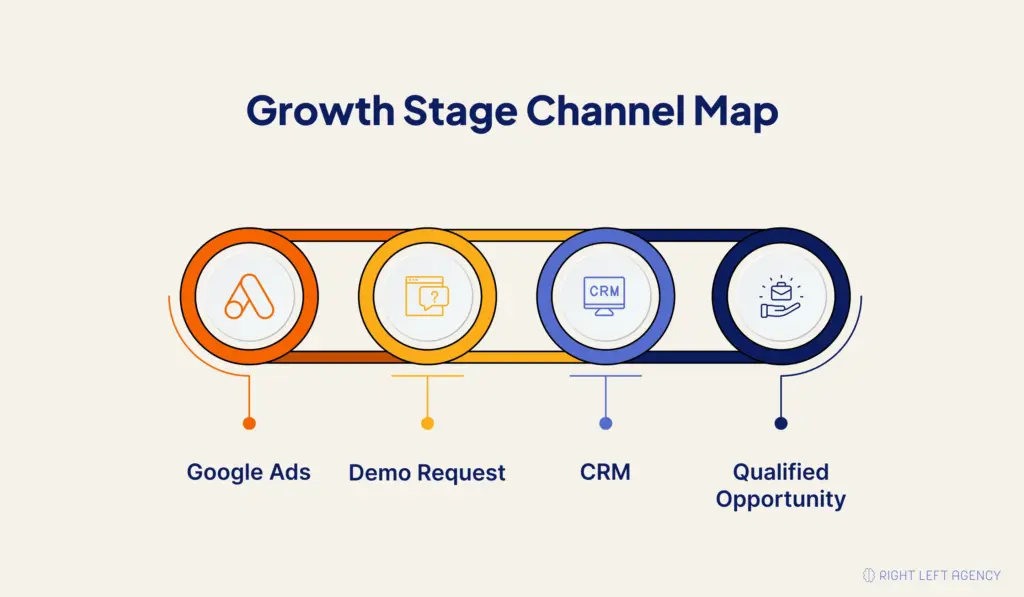
Offline conversions connect ad clicks to qualified leads and sales opportunities in your CRM.
Google Ads Click → Demo Request → CRM Qualification → Sales Opportunity
During the transition:
- Verify that form submissions and lead identifiers are captured.
- Confirm CRM stages map to the correct conversion actions.
- Keep offline conversion imports running.
- Monitor import errors and compare results with CRM records.
Follow Google’s offline conversion guidelines and check that existing integrations meet current Data Manager requirements.
Protect Qualified Pipeline, Not Just CPL
Consider two hypothetical campaigns:
| Metric | Campaign A | Campaign B |
|---|---|---|
| Ad spend | $5,000 | $5,000 |
| Leads | 100 | 50 |
| Cost per lead | $50 | $100 |
| Qualified opportunities | 5 | 10 |
| Cost per qualified opportunity | $1,000 | $500 |
Illustrative example, not RLA client results.
Campaign A generates more leads at a lower CPL. However, Campaign B produces twice as many qualified opportunities at half the cost per opportunity.
This is why marketing-to-pipeline attribution matters more than lead volume alone.
RLA’s Perspective: Protect the Search-to-Pipeline Connection
At Right Left Agency, paid search performance is evaluated through three areas:
- Search intent: Are campaigns reaching the right SaaS buyers?
- Conversion quality: Are those visitors becoming qualified leads?
- Pipeline attribution: Which campaigns generate sales opportunities?
If lead volume remains steady but sales-qualified leads decline, investigate keyword intent, landing pages, CRM tracking, and sales feedback before rebuilding campaigns.
A successful PPC transition protects qualified pipeline while creating opportunities to improve performance.
The Transition Timeline: Run in Parallel, Don’t Hard-Cut
A four-to-six-week handover is a practical planning example for SaaS PPC accounts that require auditing, tracking validation, and coordinated access changes.
Smaller accounts may transition faster. Larger accounts with complex CRM integrations, multiple markets, or contractual notice periods may require more time.
The goal isn’t to meet a fixed deadline. It’s to transfer responsibilities without interrupting advertising operations or measurement.
Weeks 1–2: Audit and prepare
Give the incoming agency appropriate read access so it can assess the account.
During this phase, the team should:
- Review campaign performance
- Confirm account access
- Audit conversion tracking
- Identify CRM integrations
- Document risks and improvement opportunities
By the end of this phase, you should have a clear transition plan.
Weeks 2–3: Coordinate the handover
Once the transition is agreed upon, establish responsibilities and deadlines with the outgoing agency.
Request final documentation and avoid unnecessary campaign changes.
Make sure someone remains responsible for monitoring budgets, campaign performance, and conversion tracking throughout the handover.
Weeks 3–4: Shadow and validate
The incoming agency should observe active campaigns, validate tracking, and prepare optimization priorities before making significant changes.
Use this period to:
- Test conversion tracking
- Confirm CRM imports
- Review lead quality
- Identify immediate inefficiencies
- Prepare the first optimization plan
Clearly define which team has permission to edit live campaigns.
Weeks 5–6: Transfer control
Once access and tracking are confirmed, the incoming agency can assume daily management.
Transfer permissions according to the agreed plan, verify reporting continuity, and remove the outgoing agency’s access when appropriate.
Before closing the handover, confirm that:
- Campaigns remain active and monitored.
- Conversion tracking works.
- CRM imports continue successfully.
- Your company retains administrative access.
- The new agency has an agreed optimization roadmap.
A phased transition cannot guarantee unchanged performance, but it reduces avoidable operational risks.
The First 90 Days: What a Competent New Agency Should Deliver
Your new agency’s first 90 days should focus on protecting performance, improving lead quality, and connecting paid search to qualified pipeline.
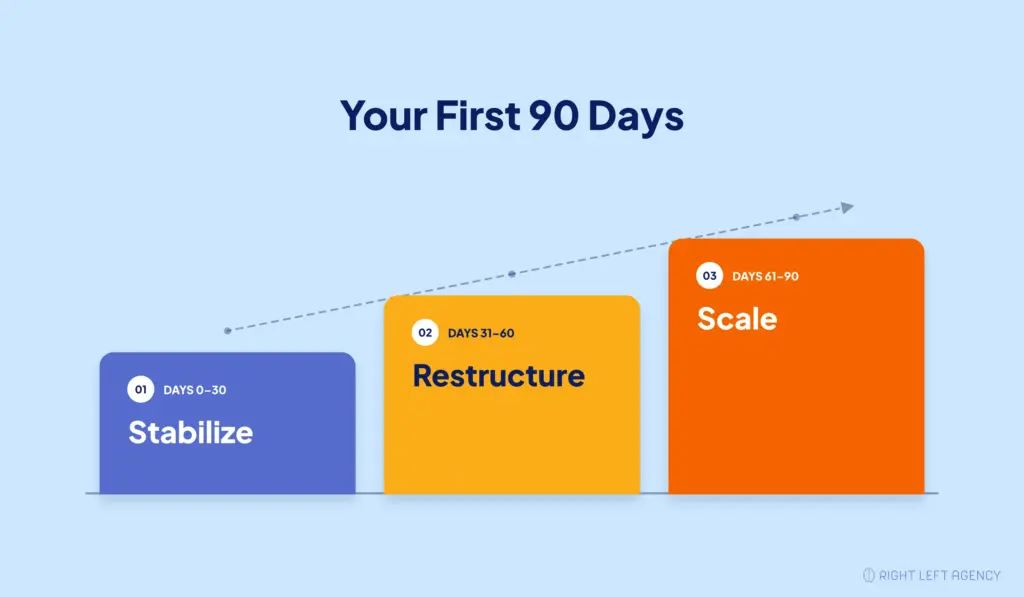
A practical approach follows three stages: stabilize, restructure, and scale.
| Phase | What the agency should do | Expected outcome |
|---|---|---|
| Days 0–30: Stabilize | Audit campaigns, verify tracking, and identify wasted spend. | Reliable benchmarks and a clear improvement plan. |
| Days 31–60: Restructure | Refine targeting, improve landing pages, and validate CRM conversions. | Better lead quality and campaign efficiency. |
| Days 61–90: Scale | Optimize bidding, prioritize effective campaigns, and measure pipeline. | Smarter budget allocation and clearer business impact. |
Days 0–30: Stabilize
The agency should audit campaign performance, verify conversion tracking, and understand your ideal customer profile and sales process.
Expected outcome: A reliable performance baseline, working tracking, and a prioritized optimization plan.
Days 31–60: Restructure
Improve keyword targeting, negative keywords, landing pages, and CRM-based conversion tracking where the audit identifies opportunities.
Expected outcome: Better campaign alignment with buyer intent and early improvements in lead quality.
Days 61–90: Scale
Use performance data to prioritize campaigns generating qualified opportunities. Track SQLs, lead-to-opportunity conversion rates, cost per qualified opportunity, and pipeline contribution.
Expected outcome: More informed budget decisions and measurable progress toward qualified pipeline.
These phases are flexible. Significant restructuring or scaling should happen only when account performance and available data justify it.
Real Example: OneTouchPoint’s Paid Search Improvements
OneTouchPoint, a B2B brand management software company, partnered with Right Left Agency after experiencing challenges with its previous agency.
RLA improved search targeting, landing pages, SEO, and conversion performance, delivering:
- 80% increase in leads
- 32% decrease in cost per lead
The engagement also improved marketing-qualified lead quality.
These results reflect a broader marketing engagement, not a guaranteed 90-day PPC transition outcome.
Read the OneTouchPoint paid-media case study for details.
Red Flags in the Agency You’re Switching To
Switching agencies won’t solve your PPC problems if the new partner repeats the same mistakes. Watch for these warning signs:
1. They Want to Rebuild Everything Immediately
A new agency should audit existing campaigns and performance data before recommending major changes.
2. They Change Conversion Tracking Without a Plan
Changing conversion goals without checking CRM integrations can disrupt bidding and reporting.
3. They Don’t Review Historical Performance
Ignoring past campaign data can lead to repeated mistakes and missed opportunities.
4. They Focus Only on Clicks and CPL
A SaaS PPC agency should measure qualified leads, sales opportunities, and acquisition costs, not just traffic and lead volume.
5. They Can’t Explain CRM Conversion Tracking
Your agency should know how to connect advertising performance to qualified leads and pipeline through CRM data.
6. They Promise Immediate Results
Be cautious of guaranteed CAC reductions or pipeline growth without reviewing your account and sales cycle.
If you’re evaluating new partners, compare the best SaaS PPC agencies based on SaaS expertise, tracking capabilities, and proven results.
Switching PPC Agencies? Protect Your Pipeline First
Before changing agencies, understand which campaigns are generating qualified opportunities, what tracking needs protecting, and where your performance can improve.
Right Left Agency helps B2B SaaS companies connect paid search with qualified pipeline and measurable growth.
Book a Growth Fit Call to discuss your current PPC performance, transition risks, and next steps.
Frequently Asked Questions
Will my PPC performance drop if I switch agencies?
Not necessarily. Changing PPC agencies doesn’t automatically cause a performance decline. However, broken conversion tracking, unnecessary campaign rebuilds, and poorly coordinated access changes can affect results. A phased handover helps reduce these risks but cannot guarantee unchanged performance.
Who owns my Google Ads account, me or my agency?
Your company should maintain direct administrator access to its Google Ads client account. An agency may manage that account through Google Ads Manager, but this doesn’t automatically transfer ownership of the client’s campaign data. Review manager ownership permissions and contractual terms before switching.
What data should I get before leaving my current PPC agency?
Export available historical campaign reports, keywords, search term data, negative keyword lists, audience settings, conversion configurations, and CRM integration details. Also document current budgets, active experiments, and performance benchmarks before the handover.
How long does it take to switch PPC agencies?
A planned SaaS PPC agency handover may take around four to six weeks for auditing, documentation, tracking validation, and access transfers. Simpler accounts may move faster, while complex CRM integrations or contract requirements can extend the timeline.
How do I switch without breaking conversion tracking?
Document existing conversion actions, test website forms, verify CRM integrations, and monitor offline conversion imports throughout the handover. Confirm which account manages conversion tracking and avoid unnecessary simultaneous changes to measurement and bidding settings.
What should a SaaS PPC agency deliver in the first 90 days?
Expect a complete account audit, reliable tracking, a prioritized optimization plan, and measurable progress toward qualified-lead and pipeline goals. For SaaS businesses with longer sales cycles, reliable CAC or revenue improvements may take more than 90 days to evaluate.