

Key Takeaways
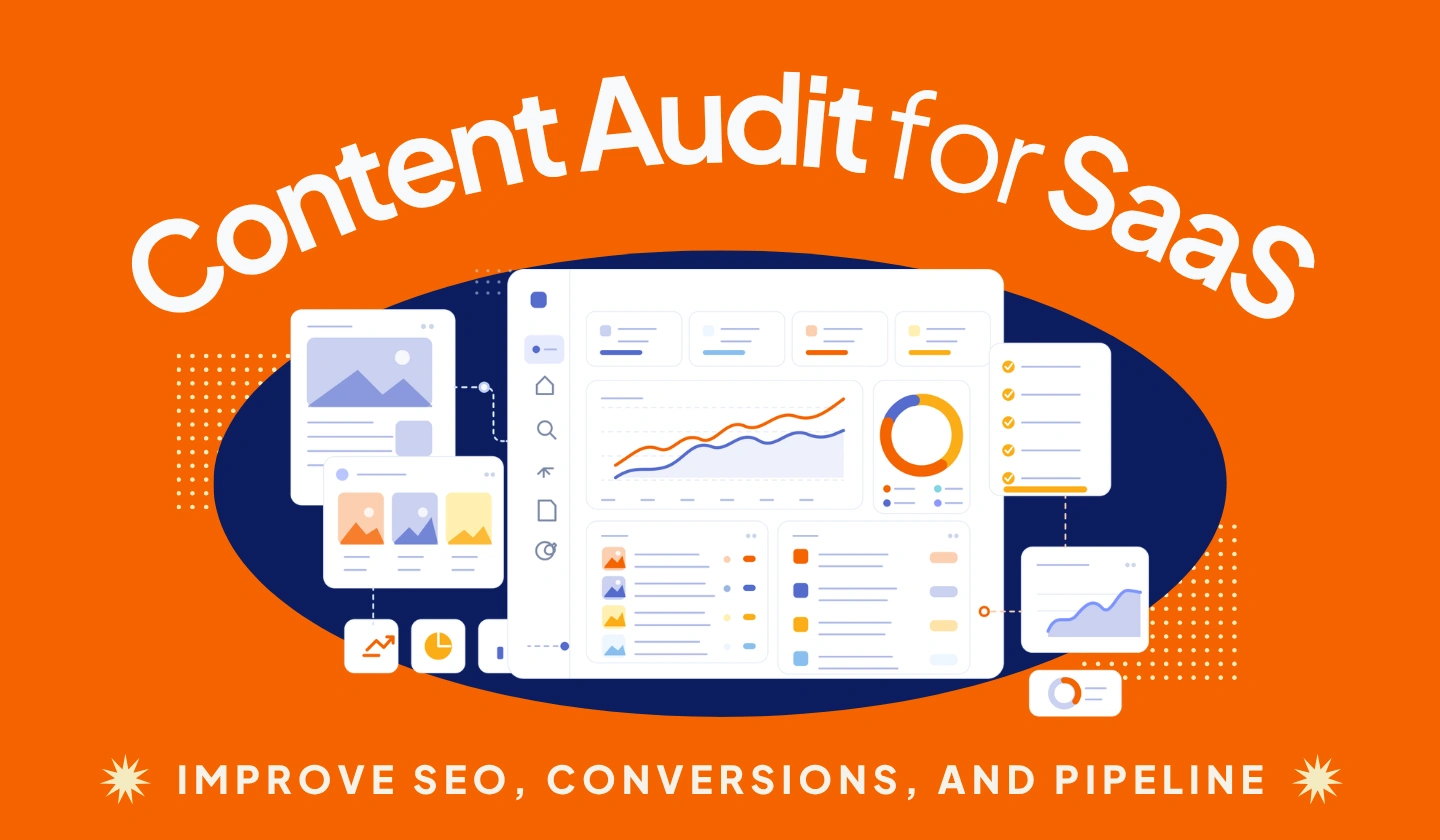
- A SaaS content audit reviews blogs, product pages, landing pages, comparison pages, case studies, and help content.
- The goal is not only more traffic. The goal is better search intent alignment, product relevance, conversions, and pipeline impact.
- Every audited URL should receive a clear action: keep, update, merge, redirect, delete, or repurpose.
- A strong audit turns scattered content into a prioritized roadmap for SEO, product messaging, and revenue growth.
A SaaS team can publish blog posts every month and still wonder why traffic is flat, demo requests are weak, and sales keep asking for better-fit leads. The website may look active from the outside, but behind the scenes, outdated pages, duplicate topics, weak CTAs, and missing bottom-funnel content can quietly slow growth.
That is where a content audit for SaaS becomes more than an SEO task. It helps SaaS companies understand which pages are helping growth, which pages are outdated, and which content gaps are blocking leads, trials, demos, and pipeline.
A SaaS content audit is the process of reviewing every important website page to decide what to keep, update, merge, redirect, delete, or repurpose. A SaaS content audit improves organic visibility, fixes outdated messaging, matches search intent, closes buyer journey gaps, and connects content performance to demos, trials, pipeline, and revenue.
What Is a SaaS Content Audit?
A SaaS content audit is a structured review of all important content on a SaaS website. The goal is to understand how each page performs, whether it matches user intent, how well it supports the buyer journey, and whether it helps the business generate qualified leads or revenue.
A SaaS content audit focuses on content quality, intent, relevance, and conversion value, while a technical SEO audit focuses more on crawlability, indexing, speed, and site structure.
Unlike a basic blog audit, a SaaS content audit looks at every content asset that can influence discovery, education, trust, product understanding, and conversion.
A SaaS content audit usually reviews:
- Blog posts
- Feature pages
- Use case pages
- Comparison pages
- Integration pages
- Landing pages
- Case studies
- Help docs or knowledge base content
For example, a SaaS audit may find that a blog post ranks well for an awareness keyword, but the related feature page has weak internal links, outdated screenshots, and no clear trial CTA. In that case, the opportunity is not only to refresh the blog post, but to connect the full journey from search visit to product evaluation.
For SaaS companies, content has to do more than bring traffic. It should explain the product, answer buyer questions, support sales conversations, reduce friction, and guide users toward the next step.
Why SaaS Companies Need a Content Audit
SaaS content can become outdated quickly. Product features change, positioning shifts, competitors update their messaging, customer pain points evolve, and search results become more competitive.
A page that performed well last year may no longer match the current product. A blog post may rank, but still attract the wrong audience. A comparison page may miss important buyer objections. A feature page may explain what the product does, but fail to show why it matters.
SaaS companies need a content audit when:
- Organic traffic is declining.
- Keyword rankings are dropping.
- Old content no longer matches the product.
- Blog posts bring traffic but no leads.
- Important buyer journey pages are missing.
- Multiple pages target the same keyword.
- Product pages have weak messaging.
- Existing content does not support demo requests or trial signups.
- Content is outdated, thin, duplicated, or misaligned with search intent.
The problem is that content decay is rarely obvious at first. A SaaS team may see traffic staying stable while lead quality drops, demo requests slow down, or sales teams stop using blog content because the messaging no longer reflects the product.
A content audit for SaaS helps teams make smarter decisions before publishing more content. Instead of guessing what to write next, the team can see what needs to be refreshed, merged, removed, expanded, or connected to the funnel. If lead quality is one of the main problems, compare audit findings with your broader B2B SaaS lead generation strategy so content updates support better-fit opportunities, not just more traffic.
What Should Be Included in a SaaS Content Audit?
A useful SaaS content audit checklist should include SEO data, conversion data, content quality signals, and business relevance.
| Audit Item | What to Check |
|---|---|
| URL | Identify the exact page being reviewed |
| Page type | Blog, feature page, use case, comparison, landing page, case study, or help doc |
| Target keyword | Confirm the primary query the page should rank for |
| Search intent | Check whether the page format matches the SERP |
| Content freshness | Review outdated screenshots, product claims, pricing mentions, statistics, and examples |
| Conversion data | Check demos, trials, MQLs, SQLs, and assisted conversions |
| Technical SEO issues | Review broken links, metadata, speed, and indexation |
| Recommended action | Keep, update, merge, redirect, delete, or repurpose |
The goal is not just to collect data. The goal is to decide what each page should do next.
Step-by-Step Process to Run a Content Audit for SaaS
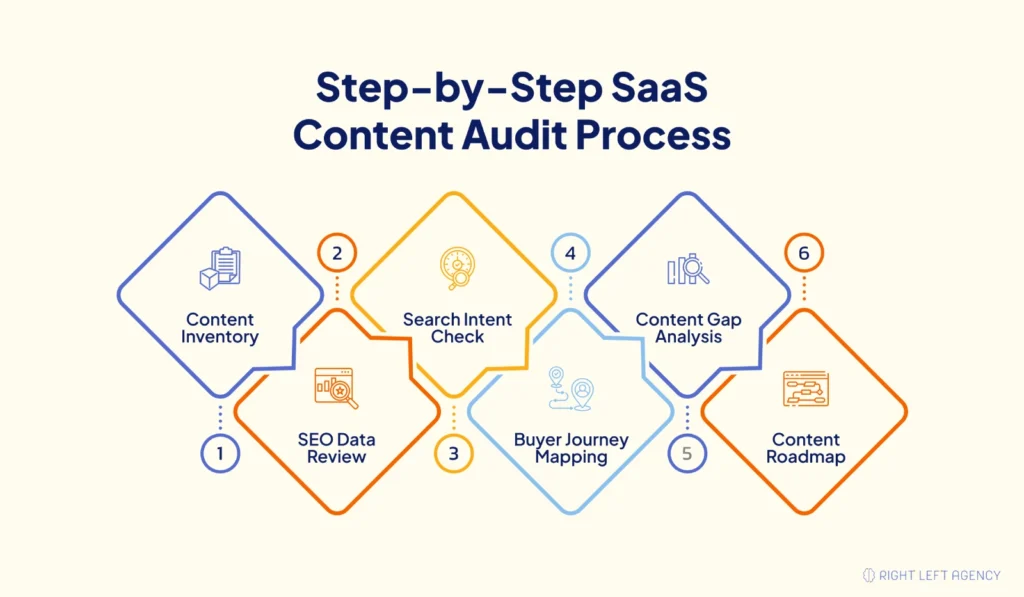
A SaaS content audit process should be clear enough for marketing, SEO, content, and growth teams to follow. The best audits combine data with strategic judgment.
Step 1: Define the Goal of the Audit
Start with a clear goal before collecting data.
The goal may be to improve organic traffic, increase demo requests, refresh outdated content, find content gaps, improve conversions, or fix keyword cannibalization. A SaaS company with declining traffic will need a different audit than a company preparing for a new product positioning strategy.
A clear goal helps the team decide which metrics matter most.
Step 2: Build a Full Content Inventory
Create a complete list of important URLs across the website.
Include blog posts, product pages, feature pages, use case pages, landing pages, case studies, comparison pages, integration pages, and help docs. Pull URLs from the sitemap, CMS, Google Analytics 4, Google Search Console, and crawling tools like Screaming Frog.
Add everything into a spreadsheet or Airtable, so the team can review each page in one place.
Step 3: Collect SEO and Performance Data
Next, collect performance data for every URL.
Look at traffic, impressions, clicks, rankings, backlinks, engagement, conversions, demo requests, trial signups, and assisted conversions. Use Google Search Console for query and ranking data. Use GA4 for traffic and engagement. Use Ahrefs or Semrush for keyword and backlink data. Use CRM data to connect content with the pipeline.
In Google Search Console, export the last 3–6 months of URL-level clicks, impressions, CTR, and average position. Then compare it with the previous period to find content decay. In GA4, check engagement and conversion events. In your CRM, review whether the page influenced demos, trials, MQLs, SQLs, or opportunities.
This separates “busy” content from business-critical content
Step 4: Review Search Intent Alignment
Every page should match what the searcher wants.
For example, a comparison keyword needs a comparison page, not a general blog post. A “how to” keyword needs a practical guide, not a product-heavy sales page. If the page format does not match the intent, it may struggle to rank or convert.
Review the top-ranking pages for each keyword and compare your content against the search expectation.
Step 5: Map Content to the SaaS Buyer Journey
SaaS content should support every stage of the buyer journey.
That includes awareness, problem-awareness, solution-awareness, product-awareness, comparison, decision, and retention stages. Many SaaS websites have too much top-funnel content and not enough content for users who are actively comparing solutions.
A buyer journey review helps identify missing feature pages, use case pages, competitor pages, pricing support content, ROI content, and case studies. It should also connect with the wider SaaS marketing funnel so awareness, consideration, decision, retention, and expansion content work together.
Step 6: Find Outdated, Thin, or Duplicate Content
Look for content that is old, shallow, overlapping, or no longer relevant.
This may include old statistics, outdated screenshots, weak examples, old product messaging, thin blog posts, or multiple articles targeting the same keyword. SaaS companies often experience content decay because products and markets change quickly.
If a blog post still gets impressions in Google Search Console but demo conversions are low, check whether the page is attracting the wrong intent. For example, a post ranking for “what is CRM automation” may bring early-stage readers, while a page targeting “best CRM automation software for SaaS sales teams” may support higher-intent leads. In that case, keep the educational post, but add internal links to a use case page, comparison page, or demo-focused product page.
Step 7: Decide What to Keep, Update, Merge, Redirect, or Delete
Every important URL should receive a clear action.
Some pages should stay as they are. Some need a refresh. Some should be merged with stronger pages. Some should be redirected because they no longer fit the current product. Some may be deleted if they have no traffic, backlinks, conversions, or strategic value.
Do not delete content just because it has low traffic. First, check backlinks, internal links, assisted conversions, and sales value.
Step 8: Prioritize Updates Based on Business Impact
After assigning actions, prioritize the pages that can create the most impact.
Start with pages that are highly business-relevant, have strong ranking potential, offer conversion value, or influence the pipeline. A bottom-funnel comparison page ranking on page two may deserve attention before a broad awareness blog post.
Score each page from 1–5 for business relevance, ranking opportunity, conversion potential, and update effort. Start with pages that have high business relevance, strong ranking opportunity, and low update effort.
The final result should be a practical content roadmap, not just an audit spreadsheet.
SaaS Content Audit Decision Framework
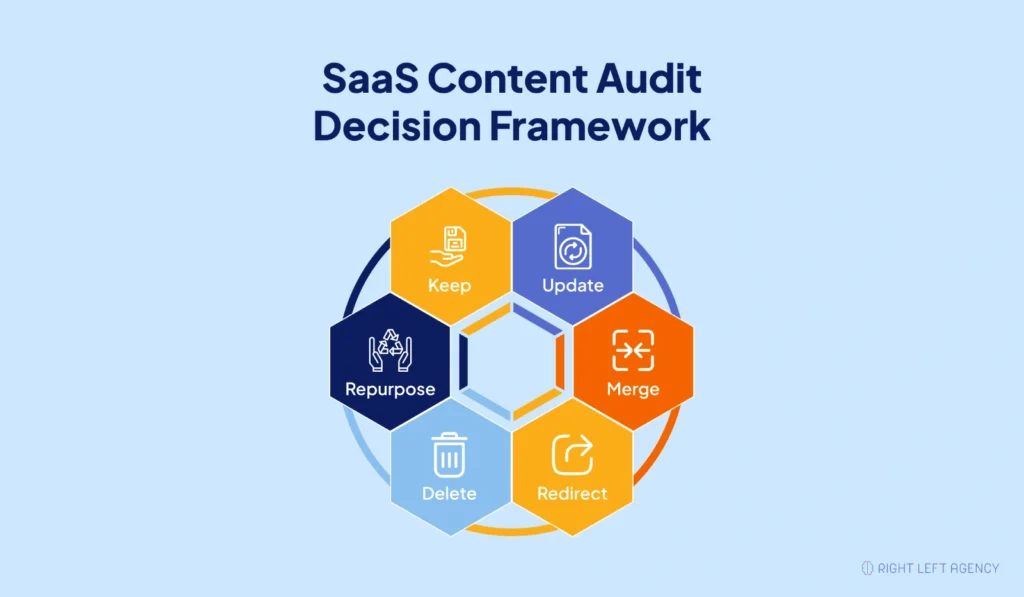
Use this framework to decide what action each page needs after the audit.
| Audit Finding | Recommended Action | Example |
|---|---|---|
| Page performs well and supports current product messaging | Keep | A feature page that ranks, converts, and supports demo requests |
| The page has traffic, but outdated information | Update | A blog post with old examples, outdated screenshots, or declining rankings |
| Two or more pages target the same search intent | Merge | Multiple blog posts are competing for the same SaaS SEO keyword |
| Page has backlinks, but no longer fits the current product | Redirect | An old product page redirected to a newer feature or solution page |
| Page has no traffic, backlinks, conversions, or strategic value | Delete | A thin blog post that no longer supports the ICP or product |
| Content has useful ideas, but would work better in another format | Repurpose | Turning a webinar into a guide, checklist, or sales enablement asset |
Deleting content should be done carefully. A page with low traffic may still have backlinks, assisted conversions, internal link value, or sales enablement value.
Pro Tip: Do not make decisions based on traffic alone. A low-traffic page may still support sales, onboarding, retention, internal linking, or backlink authority.
Key Metrics to Track During a SaaS Content Audit
SaaS companies should not judge content only by traffic. Traffic matters, but it does not always show whether a page supports the buyer journey or pipeline.
Track these metrics during the audit:
SEO visibility metrics
- Organic traffic: Shows how many users arrive from search.
- Impressions: Shows how often a page appears in search results.
- Click-through rate: Shows whether the title and meta description attract clicks.
- Keyword rankings: Shows visibility for target and related keywords.
- Backlinks: Shows external authority and link value.
Engagement metrics
- Internal links: Shows how well the page is connected to the rest of the site.
- Engagement rate: Shows whether users interact with the page.
Conversion metrics
- Demo requests: Shows whether content drives sales conversations.
- Free trial signups: Shows product-led conversion impact.
- MQLs: Shows whether the page creates qualified marketing leads.
- SQLs: Shows whether the content contributes to sales-qualified demand.
- Assisted conversions: Shows indirect contribution to conversion paths.
Revenue metrics
- Pipeline influence: Shows whether content supports revenue opportunities.
- Content-attributed revenue: Shows business impact when attribution data is available.
- Product relevance: Shows whether the page still supports the current product.
- Buyer journey stage: Shows where the page fits in the customer journey.
Use metric combinations, not single metrics. For example, high impressions with low CTR may mean the title and meta description need improvement. High traffic with low demo clicks may mean the page attracts the wrong intent or has weak CTA alignment. Low traffic but high assisted conversions may mean the page is valuable for sales and should be improved, not deleted.
Some low-traffic pages can still be valuable if they support high-intent buyers. A comparison page, pricing support page, or integration page may not drive massive traffic, but it can influence serious buyers who are close to a decision.
How to Find Content Gaps in a SaaS Content Audit
Content gaps are missing topics, pages, or funnel stages that stop users from moving forward.
In SaaS, content gaps often appear around use cases, integrations, competitor comparisons, alternatives, pain points, industries, pricing, ROI, onboarding, and customer proof. These gaps can hurt both SEO and conversions because buyers may not find the information they need to trust the product.
To find gaps, review four sources:
- Keyword data: What high-intent queries are missing?
- Competitor pages: What BOFU pages do competitors have that you do not?
- Sales calls: What questions do prospects repeatedly ask?
- CRM notes: What objections slow down demos or deals?
A strong content gap analysis for SaaS should compare keyword data, competitor content, sales questions, customer objections, and buyer journey needs. For broader planning, use a SaaS content marketing strategy to turn those gaps into a publishing-and-refresh roadmap.
The best content opportunities often come from real sales conversations. If prospects ask the same question repeatedly, that question may deserve a page, section, FAQ, comparison guide, or case study.
Pro Tip: If the same gap appears in keyword data, competitor analysis, sales calls, and CRM notes, treat it as a high-priority content opportunity.
How Often Should SaaS Companies Run a Content Audit?
A full audit is useful every 6–12 months, but SaaS teams should not wait a full year if there are major changes. Run a smaller audit after a pricing update, product repositioning, new ICP focus, website redesign, or sudden traffic decline. These events can make older content inaccurate even if rankings have not dropped yet.
A practical audit schedule looks like this:
- Quarterly: For high-growth SaaS companies publishing often.
- Every 6 months: For established SaaS websites with active SEO programs.
- Annually: For smaller SaaS websites with limited content.
- After major changes: After product updates, rebranding, pricing changes, repositioning, or website redesigns.
Smaller monthly checks can also help teams catch ranking drops, traffic declines, broken CTAs, and outdated content before they become bigger problems.
Best Tools for a SaaS Content Audit
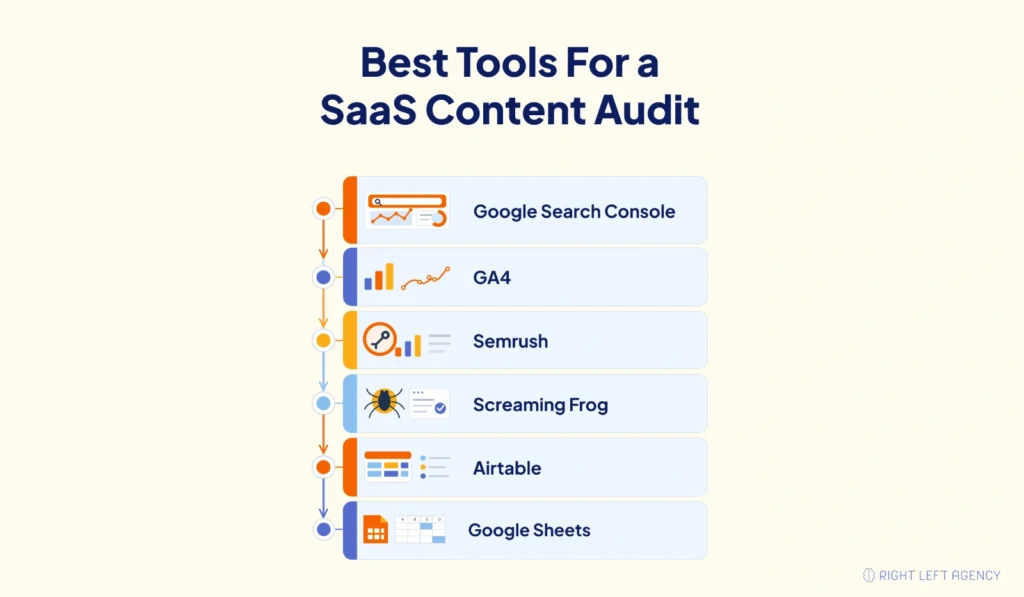
For a small SaaS team, start with Google Search Console, GA4, Google Sheets, and your CRM. For a larger content library, add Screaming Frog, Ahrefs, or Semrush, and a behavior tool like Hotjar or Microsoft Clarity. The goal is not to use more tools, but to connect SEO performance with product and revenue impact
Useful SaaS content audit tools include:
- Google Search Console: Review clicks, impressions, queries, ranking trends, and CTR.
- Google Analytics 4: Review traffic, engagement, user behavior, and conversions.
- Ahrefs or Semrush: Review keyword rankings, backlinks, competitor gaps, and content opportunities.
- Screaming Frog: Crawl URLs and find technical SEO issues, missing metadata, broken links, and indexation problems.
- HubSpot or Salesforce: Connect content performance with demo requests, MQLs, SQLs, opportunities, and pipeline.
- Notion, Airtable, or Google Sheets: Organize URLs, metrics, audit notes, and recommended actions.
- Hotjar or Microsoft Clarity: Review scroll behavior, clicks, and friction on important pages.
The strongest audit combines SEO data, analytics data, CRM data, and buyer journey analysis.
Common SaaS Content Audit Mistakes to Avoid
A content audit can create better decisions, but only if the team avoids common mistakes.
Watch out for these problems:
- Only looking at traffic: Traffic alone does not show lead quality, product relevance, or pipeline influence.
- Deleting pages too quickly: A low-traffic page may still have backlinks, internal links, or assisted conversion value. For example, a low-traffic integration page may still support late-stage sales conversations or carry backlinks from partner websites. In that case, updating or redirecting may be safer than deleting.
- Ignoring search intent: A page can be well-written and still fail if it does not match the SERP.
- Auditing only blog posts: SaaS audits should also include product pages, feature pages, landing pages, case studies, and help content.
- Forgetting product and feature pages: These pages often influence conversions more directly than blog content.
- Not checking keyword cannibalization: Multiple pages targeting the same intent can weaken rankings.
- Refreshing content without improving CTAs: Updated traffic means little if users do not know what to do next.
- Ignoring internal links: Strong internal linking helps users and search engines understand page importance.
- Not connecting findings to revenue goals: An audit should help improve leads, demos, trials, pipeline, and customer education.
- Updating for SEO but ignoring product accuracy: A refreshed page can still fail if screenshots, feature descriptions, pricing references, or use cases no longer match the product.
The best SaaS audits are not just SEO cleanups. They are growth reviews.
What Happens After the Content Audit?
A content audit only matters if the team turns findings into action.
After the audit, create a prioritized roadmap that shows what needs to be updated, merged, redirected, deleted, created, or improved. Assign owners, deadlines, and success metrics so the audit does not sit unused in a spreadsheet. Score each page by business impact, ranking potential, conversion opportunity, and update effort. Start with high-impact, low-effort pages first, then move to larger strategic updates.
Post-audit actions should include:
- Create a content refresh roadmap.
- Assign priority scores.
- Update outdated pages.
- Merge overlapping pages.
- Improve CTAs.
- Add internal links.
- Create missing bottom-funnel content.
- Refresh product messaging.
- Improve comparison and alternative pages.
- Add stronger case studies or proof.
- Track rankings, traffic, and conversions after updates.
A practical post-audit roadmap might look like this:
| Timeline | Action |
|---|---|
| Week 1–2 | Refresh high-intent pages ranking in positions 4–20 |
| Week 3–4 | Merge cannibalized posts and update redirects |
| Month 2 | Create missing comparison, integration, and use case pages |
| Month 3 | Review rankings, assisted conversions, demo clicks, and internal link performance |
For SaaS teams, the most important step is prioritization. Start with pages that have strong business value, ranking potential, or conversion opportunity.
Should You Do a SaaS Content Audit In-House or Hire an Expert?
Small SaaS teams can start with a basic in-house audit. If the website has a limited number of pages, a simple spreadsheet and data from Google Search Console, GA4, and the CRM may be enough to find clear improvement opportunities.
An in-house audit is usually enough when the site is small, the team has clean analytics data, and the main goal is to refresh outdated content or improve basic SEO performance. Expert help becomes more useful when the site has hundreds of URLs, declining traffic, keyword cannibalization, poor lead quality, or unclear attribution.
| Situation | Best Option |
|---|---|
| Small website with under 50 URLs | In-house audit |
| Large content library with traffic decline | Hire an expert |
| Weak demos or poor lead quality | Hire an expert |
| Simple refresh of outdated blogs | In-house audit |
| Complex funnel, attribution, or cannibalization issues | Hire an expert |
You may need a SaaS content audit expert when:
- Traffic has dropped significantly.
- Many pages compete for the same keywords.
- Content brings traffic, but not qualified leads.
- The team lacks SEO or analytics expertise.
- The website has hundreds of URLs.
- Product messaging has changed.
- The company is preparing for a content strategy reset.
- Leadership wants a content roadmap tied to the pipeline.
A good SaaS audit should not end with “publish more blogs.” It should show what to fix, what to consolidate, what to remove, and what to build next.
SaaS Content Audit Checklist
Use this checklist to review your SaaS content more clearly.
SEO Performance
List all important URLs.
Pull organic traffic data.
Review keyword rankings.
Identify ranking drops.
Check impressions and CTR.
Review backlinks.
Check internal links.
Review indexation issues.
Content Quality
Categorize content by page type.
Check content freshness.
Update outdated examples.
Improve depth and usefulness.
Remove outdated screenshots.
Improve readability.
Add missing subtopics.
Review product accuracy.
Search Intent
Assign target keywords.
Check search intent.
Match page format to SERP expectations.
Review competing pages.
Identify duplicate or overlapping content.
Improve titles and headings.
Add missing FAQs or sections.
Conversion
Review CTA quality.
Check demo or trial paths.
Add trust signals.
Improve internal links to product pages.
Add case studies where relevant.
Review form friction.
Measure conversion performance.
SaaS Buyer Journey
Map each page to a funnel stage.
Review product relevance.
Identify missing use case pages.
Review comparison content.
Review case studies.
Add bottom-funnel content.
Prioritize high-impact updates.
Final Thoughts
A content audit for SaaS is not just about cleaning up old content. It is about improving SEO, aligning content with the buyer journey, strengthening product messaging, and turning existing pages into a stronger growth asset.
The audit helps SaaS teams understand which content drives traffic, which pages support conversions, which assets influence the pipeline, and which gaps need to be filled next.
If your SaaS website has hundreds of pages but unclear performance, a content audit can show what to fix first and where the biggest growth opportunities are.
Right Left Agency helps SaaS companies turn content, SEO, and paid growth into a clearer roadmap for revenue. If your content is active but not creating enough qualified demand, the next step is to audit what is working, what is missing, and what needs to change.
FAQ
What is a content audit for SaaS?
A content audit for SaaS is a review of all website content to understand performance, quality, search intent, buyer journey coverage, and conversion value. It helps SaaS teams decide which pages to keep, update, merge, redirect, delete, or repurpose.
Why is a SaaS content audit important?
A SaaS content audit is important because it helps find outdated content, underperforming pages, content gaps, weak CTAs, and conversion issues. It connects content decisions to SEO growth, product relevance, demo requests, free trial signups, and pipeline.
How often should a SaaS company audit its content?
Most SaaS companies should run a full content audit every 6–12 months. High-growth SaaS companies or websites with large content libraries may benefit from quarterly reviews, especially after product updates, repositioning, rebranding, or traffic declines.
What tools do I need for a SaaS content audit?
Useful tools include Google Search Console, Google Analytics 4, Ahrefs, Semrush, Screaming Frog, HubSpot, Salesforce, Airtable, and Google Sheets. These tools help review SEO data, traffic, backlinks, conversions, CRM performance, and audit decisions.
Should SaaS companies delete old blog posts?
SaaS companies should not delete old blog posts without first checking traffic, backlinks, rankings, conversions, and strategic value. Some pages should be updated, merged, or redirected instead. Deleting valuable content too quickly can hurt SEO and remove useful buyer journey support.
What is the difference between a SaaS SEO audit and a SaaS content audit?
A SaaS SEO audit focuses more on technical SEO, rankings, crawlability, indexing, and keyword performance. A SaaS content audit focuses on content quality, search intent, product relevance, buyer journey coverage, conversion value, and content performance.